Reset KIA steering angle sensor with Autel DS708 scanner

Reset KIA steering angle sensor with Autel DS708 scanner   Original Autel MaxiDAS DS708 WIFI wireless OBD2 auto diagnostic scanner is capable of lots of special functions. Following is a step-by-step example of resetting steering angle sensor for Kia cars with Autel DS708 (Hyundai vehicle share the same procedure). How to program/calibrate Kia steering angle … Read more Reset KIA steering angle sensor with Autel DS708 scanner

Autel Creating a Report on the DS708

Creating a report on a DS708 is simple when you know how. Please follow the steps below.     Choose the Manufacturer and the Vehicle you are plugged in too with our diagnostic tool. Carry out an AutoScan function on the vehicle with your diagnostic tool. Once completed look at blue coloured section on right hand side of diagnostic tool screen and see the ‘Report’ button. Click on the ‘Report’ button and you will be able to see the report generated on the screen for you to view. Now you will have 2 options; ‘Print’ or ‘Save’. As long as you have Wi-Fi connectivity and WiFi printing set-up a PC, you can print directly to your PC. Both your PC and Diagnostic Tool must be on the same computer network. If no Wi-Fi available you can save to the diagnostic tools SD card for later at a later date To view on your diagnostic tool later, go to ‘Data Manager’ and then ‘Playback’. And if you want to print this document then there is a print option in Playback. The Report feature will only display a short overview of modules within the vehicle,  and record what and how many faults exist. You may also need to go into each module and do screen shots of codes if required.   Who Viewed This Article Also Views: AUTEL Automotive Diagnostic Tools Introduction How to connect Autel MaxiDAS DS708 to OBD II/non-OBD II vehicle Autel Maxidas DS708 activate BMW E65 Dynamic Drive Autel Maxidas DS708 scanner reset Audi A4 EPC light

Some question about Autel DS708

Q: What the difference among DS708, X431 Diagun and X431 master in supported car models? A: There is no big difference in the supported car models, all of the three tools are universal diagnostic tool which cover most world-renown brand cars. The difference is that Autel DS708 generally work with the car until 2012 year, as for X431 DIAGUN and MASTER supported vehicles years, it depends on the specific car models.About function   Q1: Do you have any device which can read and clear trouble codes, reset airbag and tank, work with European and Asian car models. Can DS708 do it? A1: No, DS708 only support basic diagnosis including: read and erase codes, ECU information, live data, custom list, active test, coding and adaptation and we have not so multi-functional devices.   Q2: Does Maxidas DS708 support changing brake pads in Volskwagen Touareg 2009? A2: No, DS708 doesn’t do, it is only a scan tool for basic diagnosis. Advice you use the professional tool to change brake pads.   More information please search: autel ds708   Who Viewed This Article Also Views: Nissan becomes first automaker to promise self-driving cars by 2020 MaxiSys Serial Number & Registration Password Autel Creating a Report on the DS708 Autel Technology X-STAR UAV formation pilot celebrate Year’s Eve 2016
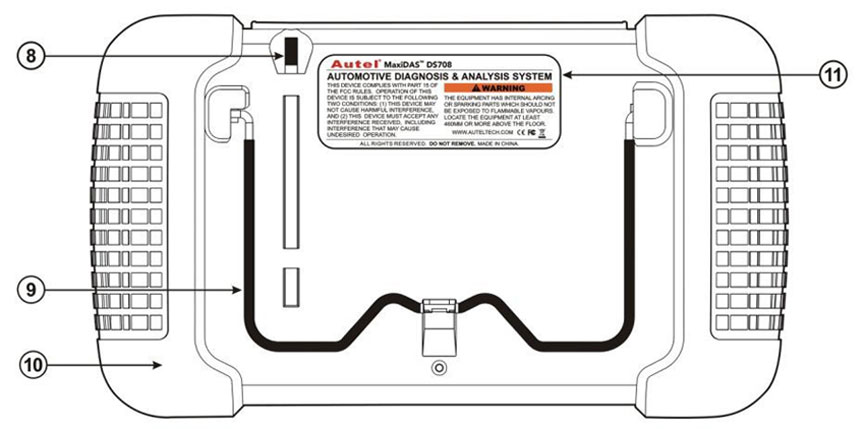
Autel Maxidas DS708 Component Introduction

autel-maxidas-708

 Autel Maxidas DS708 Component Introduction 1. DS708 Main Connection Port Connect to the mains for power supply of updating, printing data logging and internet access after disconnecting from the vehicle. 2. Diagnostic Socket Provides power supply and connection to the vehicle via diagnostic cables and connectors supplied. 3. Internet Connection Port Provides internet access for … Read more Autel Maxidas DS708 Component Introduction