Autel Cloud is a cloud-based diagnostic report management platform for compatible Autel Automotive Diagnostic System Tools.
It helps technicians upload, store, and access vehicle diagnostic reports, scan data, and inspection records from different devices.
By combining Autel Cloud with MaxiSYS diagnostic functions, workshops can streamline pre-scan, post-scan documentation, topology reporting, and diagnostic data sharing without manually transferring files from the scan tool.
Main Functions
Cloud-Based Diagnostic Report Management
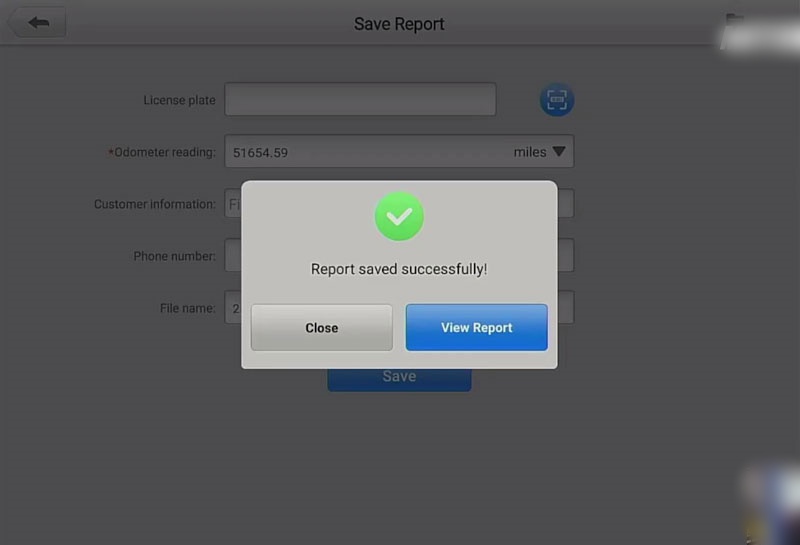
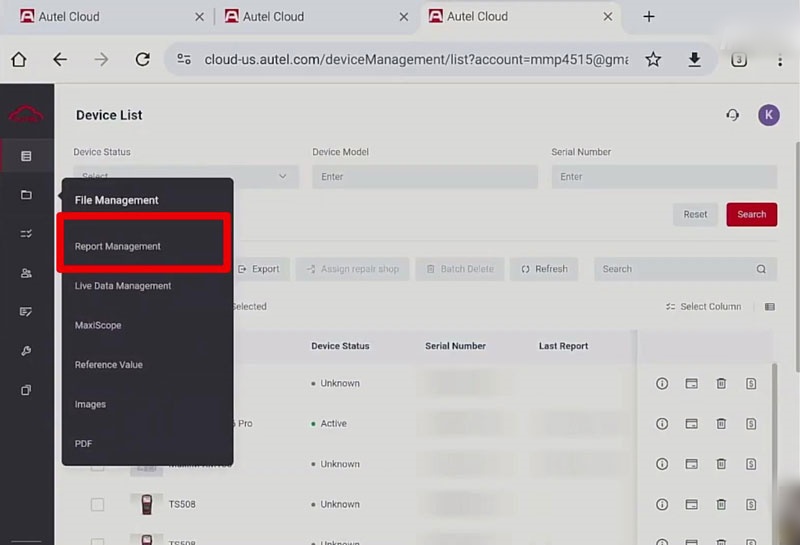
Upload and store diagnostic reports from compatible Autel MaxiSYS tools.
Reports can be accessed, reviewed, downloaded, and shared through Autel Cloud.
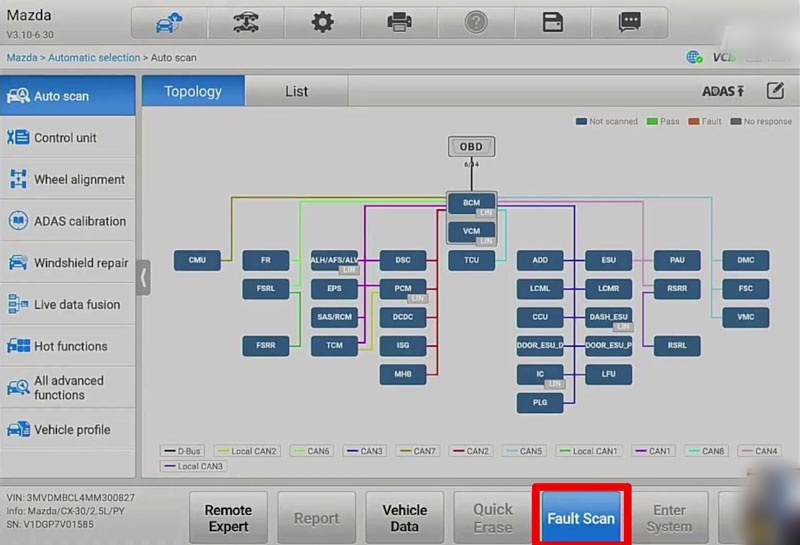
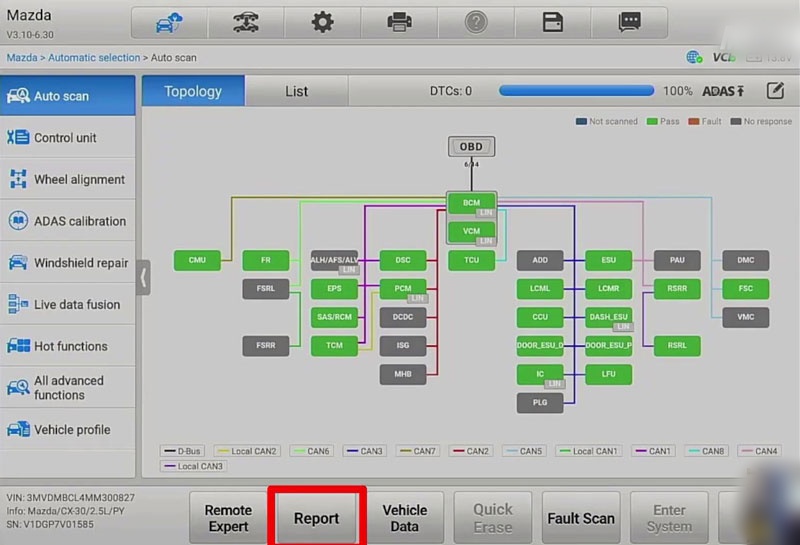
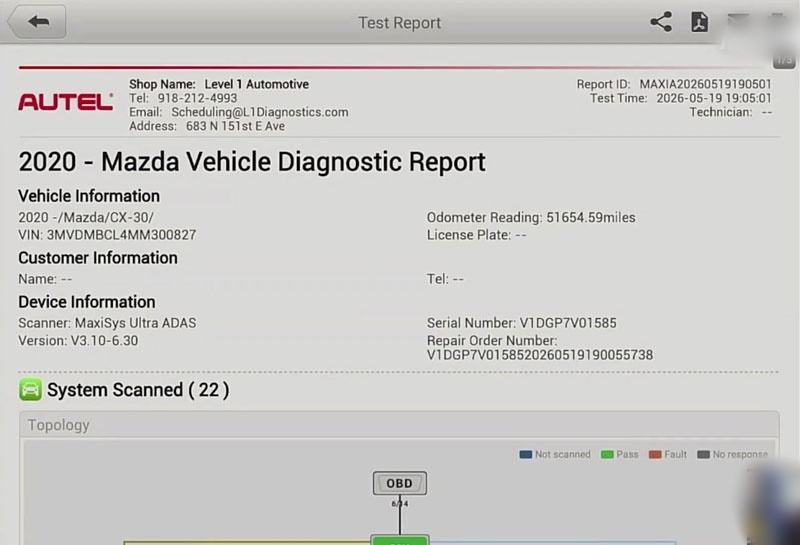
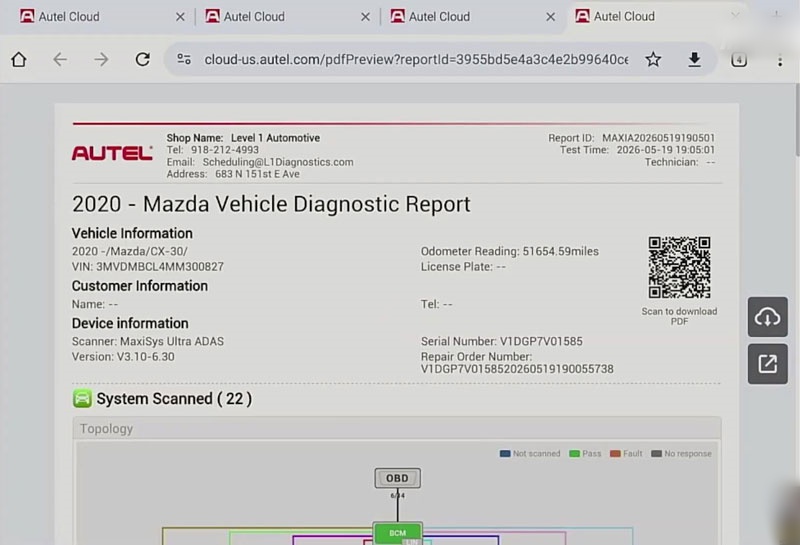
MaxiSYS Topology Mapping Report
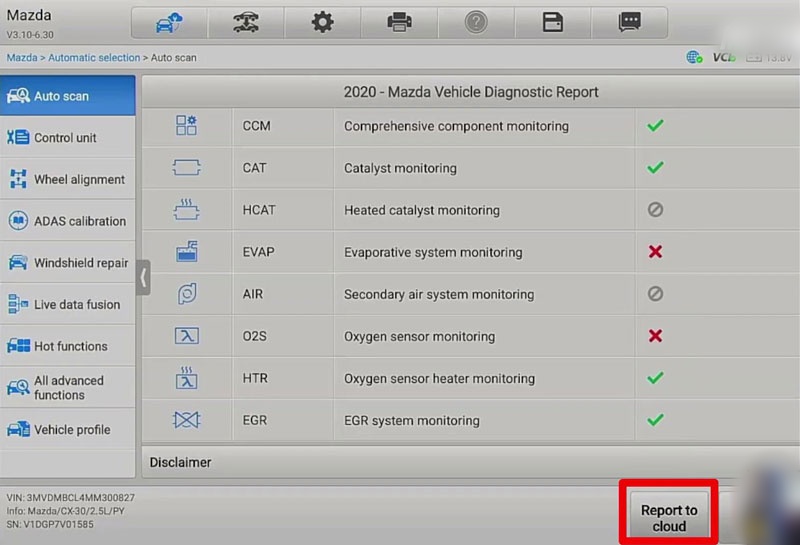
Generate a visual vehicle network overview with topology maps, module information, and system status details for easier diagnostic review.
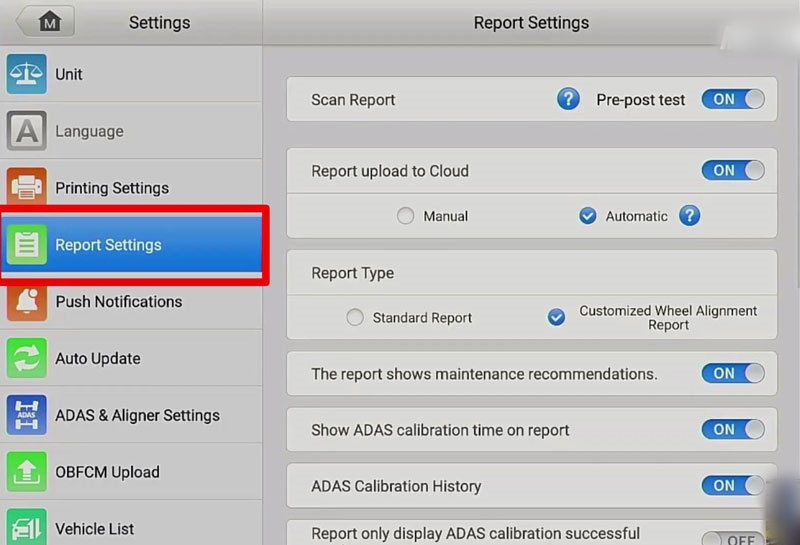
Customizable Scan Report Settings
Adjust report options including:
- Pre-scan and post-scan information
- Topology display
- OBD readiness status
- ADAS calibration result display
Remote Access to Diagnostic Data
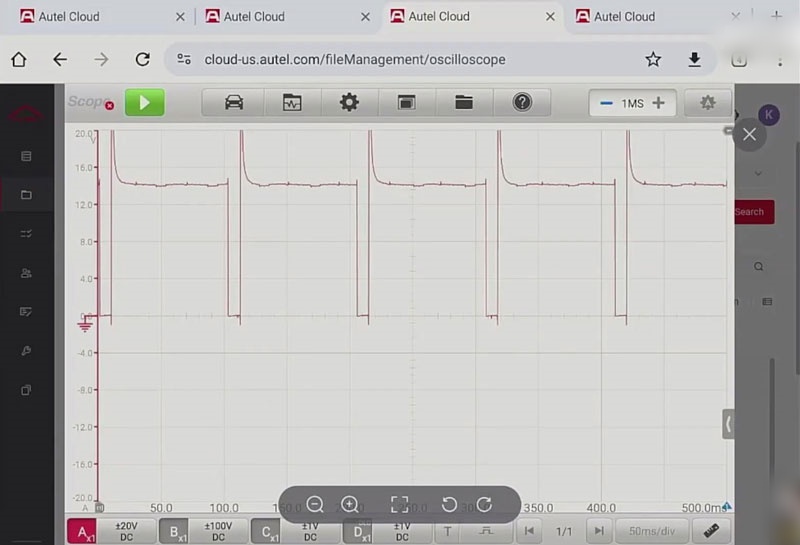
Access stored diagnostic reports, live data screenshots, MaxiScope files, and images from internet-connected devices.
Technical Specifications
| Item | Description |
|---|---|
| Platform | Autel Cloud |
| Compatible Product Line | Autel MaxiSYS diagnostic tools |
| Storage Type | Cloud-based storage |
| Free Storage Capacity | 5 GB |
| Supported Data | PDF reports, live data screenshots, MaxiScope files, images |
| Access Method | Internet-connected devices |
| Report Format |
App Download & Connection
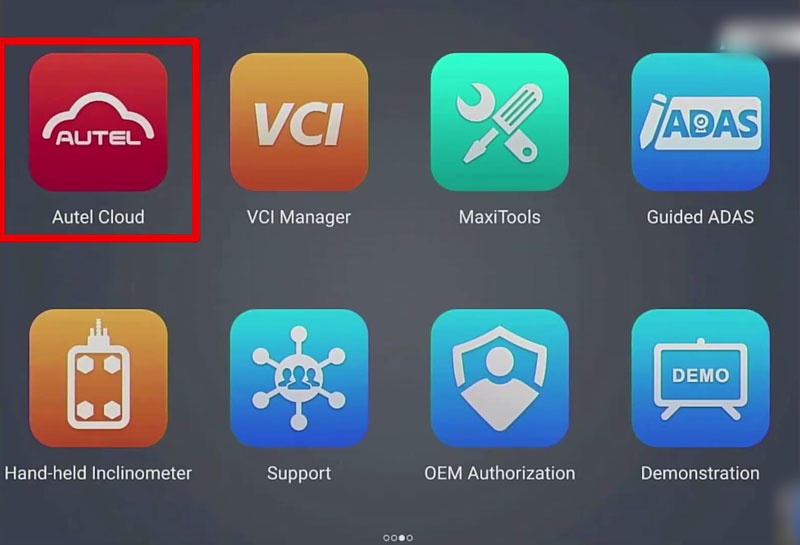
- Create an Autel Cloud account and connect a compatible Autel MaxiSYS diagnostic tool.
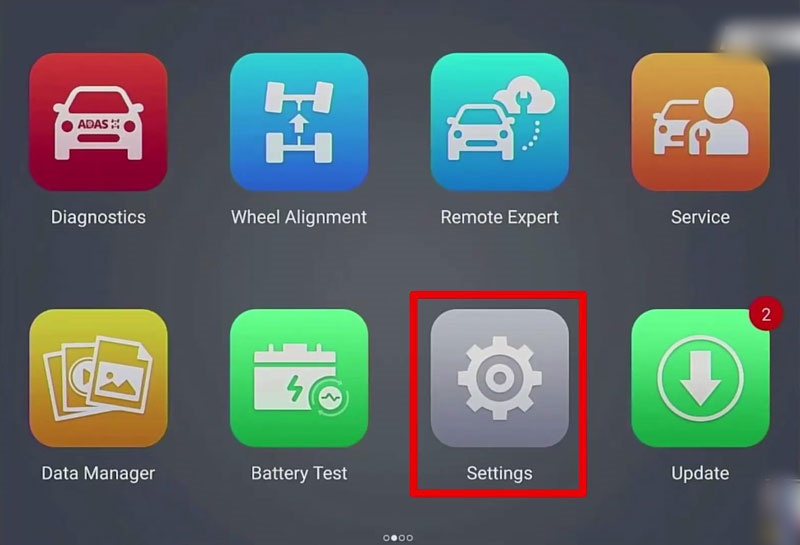
- Enable cloud upload and required report settings in the diagnostic tool.
- Perform vehicle diagnostics and upload generated reports or captured data to Autel Cloud.
- Log in to Autel Cloud from another device to view, download, or manage stored files.
An active subscription is required for Autel Cloud access. Additional storage upgrades are available when needed.
Usage Scenario
Autel Cloud is mainly used in repair shops that require centralized diagnostic documentation management, such as:
- Pre-scan and post-scan record keeping
- Sharing diagnostic reports between technicians and service advisors
- Managing ADAS calibration documentation
- Moving diagnostic reports into shop management systems
FAQ
What is Autel Cloud used for?
Autel Cloud is used to store and manage diagnostic reports, scan data, screenshots, and other files generated by compatible Autel MaxiSYS diagnostic tools.
Which Autel tools support Autel Cloud?
Autel Cloud is available for compatible Autel MaxiSYS diagnostic tools such as MK908 PRO II, Elite II PRO, Ultra Lite, etc. Available functions depend on the specific device model.
Can Autel Cloud generate diagnostic PDF reports?
Yes. Diagnostic reports can be uploaded to Autel Cloud and accessed as PDF files.
Does Autel Cloud support ADAS calibration reports?
Yes. Users can configure report settings to display ADAS calibration results, including successful and failed calibration results when enabled.
Can multiple users access Autel Cloud reports?
Yes. Cloud-stored diagnostic data can be accessed by technicians, service advisors, and other workshop staff through connected devices.
Technical Support
Email: sales@AutelShop.de
Wechat: +86-13429866263
Whatsapp: +86-13429866263
Website: www.autelshop.de