Solved: Autel IM508S Abnormality Detected Device Is Locked 106 Error

Issue Overview: In case your Autel IM508S + G-BOX3 was stuck with displaying the message: “Abnormality detected. The device is locked. Error code: 106”. This error typically occurs after multiple unsuccessful access attempts, triggering a security lockout.     Solution The Autel IM508 II device has been locked due to repeated unauthorized access attempts. To resolve this: Contact Autel After-Sales Support with your … Read more Solved: Autel IM508S Abnormality Detected Device Is Locked 106 Error

Solved: Autel Im608 II Is Not Linked To Autel Cloud Account Issue

Issue: Your Autel IM608 II shows the error: “This device is not linked to an Autel Cloud account. Please link an account.” This prevents access to cloud-based features and services.     Solution: To link your device, you need the Device Registration Password. The solution is applicable to most Autel Automotive Diagnostic System and Key Programming Tools.   Here’s how … Read more Solved: Autel Im608 II Is Not Linked To Autel Cloud Account Issue

Why Your Autel IM508S/IM608 II Won’t Charge via OBD2 (Solved)

Issue Overview: A common question we receive is about the charging behavior of Autel Automotive Key Tools like the IM508S and IM608 II. Users note that the device charges correctly via its USB port but does not charge when plugged into a vehicle’s OBD2 socket or a power source like the G-BOX3.   This is normal and intended behavior. Autel diagnostic … Read more Why Your Autel IM508S/IM608 II Won’t Charge via OBD2 (Solved)

Autel IM608 II Program 2010-2014 Honda CRV All Blade Keys Lost

This step-by-step guide demonstrates how to use the Autel IM608 II to program for 2010 – 2014 Honda CR-V when all blade keys are lost. Follow these clear instructions to successfully complete key programming and immobilizer synchronization.   Following I’m gonna use the A05TAA 08-13 251 remote key to complete. IMMO >> Honda >> Automatic selection … Read more Autel IM608 II Program 2010-2014 Honda CRV All Blade Keys Lost

Autel IM508S Program 2014 BMW 428i FEM All Keys Lost Guide

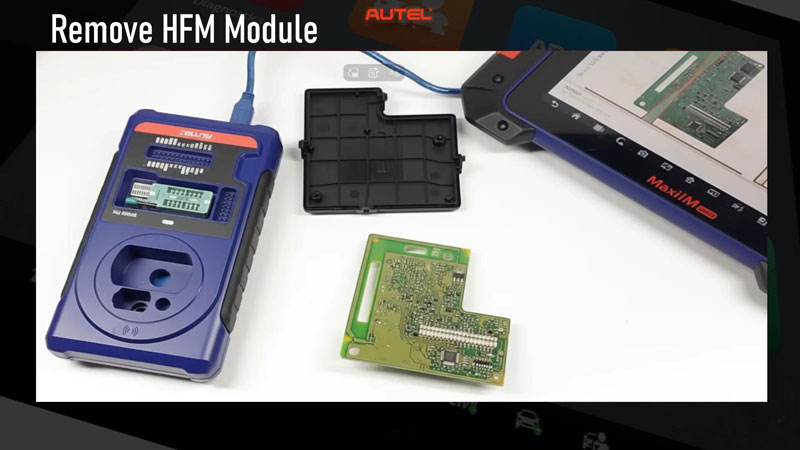
This tutorial details the complete process for performing an all keys lost procedure on a 2014 BMW 428i (applicable to similar F-series models) using the Autel MaxiIM IM508S. The job requires reading the ISN (Immobilizer Security Number) from the DME (Digital Motor Electronics) and performing bench-level EEPROM work on the FEM (Front Electronic Module) to learn a new key.   Prerequisite Warning: This is an advanced procedure requiring skill … Read more Autel IM508S Program 2014 BMW 428i FEM All Keys Lost Guide

Solved: Autel IM608 II Failed to Read Toyota C-HR 93C86 EEPROM

Problem: The Autel IM608 PRO2 can’t read 93C86 EEPROM IMMO data for a 2018 Toyota C-HR Hybrid all keys lost via OBD. It just says:   “Failed to back up EEPROM data via OBD. Disconnect all connectors of the smart main ECU of the vehicle, then reconnect them and try again. Or read the smart main … Read more Solved: Autel IM608 II Failed to Read Toyota C-HR 93C86 EEPROM

How to Check IMMO Vehicle Coverage of IM508S/IM608 II/KM100?

If you need to verify IMMO vehicle compatibility for Autel IM508S, IM608 II, or KM100, follow this detailed guide.   Method 1: Online Vehicle Coverage Checker Visit the Autel Coverage Tool Go to OtoFixTech Vehicle Coverage: https://www.otofixtech.com/vehicle-coverage/coverage2   Tip: To check diagnostic function, please check: https://www.autel.com/vehicle-coverage/coverage2   Select Your Device Choose IM1 (IMMO) for IM508S and IM2(IMMO) for IM608II (functions are … Read more How to Check IMMO Vehicle Coverage of IM508S/IM608 II/KM100?

Autel IM608 II/IM508S Update: 2025 GM,GMC & Cadillac Added

Autel’s latest 1.80 software update (August 2025) expands immobilizer functions for the MaxiIM IM508S & IM608 II, adding 2025 models like the Chevy Silverado, Cadillac Celestiq, and BrightDrop EVs. New features include VIN decoding, guided IMMO scans, and broader coverage for GM vehicles. This upgrade enhances diagnostic capabilities for technicians. Stay ahead with full 2025 vehicle support – update … Read more Autel IM608 II/IM508S Update: 2025 GM,GMC & Cadillac Added

Solved: Autel KM100 “Complete the relevant user info as required”

Problem: I can’t do any functions on the Autel MaxiIM KM100 because it will pop up this prompt: “To proceed with the function, please complete the relevant user information as required by the revised Privacy Policy”.   I don’t have a company… I am a private customer, what should I fill in?     Solution This privacy … Read more Solved: Autel KM100 “Complete the relevant user info as required”

Solved: Why Your Autel KM100 Asks For Login After Update?

Question: After upgrading my Autel MaxiIM KM100, I see the message:   “Pour votre securite,connectez-vous avec le compte lie a I’appareil.” (For your security, log in with the account linked to the device.)   Does this lmean the upgrade failed? Please advise.   AutelShop.DE Engineer Replied This is normal – just sign in to continue.   The … Read more Solved: Why Your Autel KM100 Asks For Login After Update?