Swapping a BCM for testing can cause the original module to lose VIN synchronization, resulting in fault code C054500. This guide explains the repair process using the Autel IM608 II for initial diagnosis and Odis for final programming.
Tools Used in This Case
Autel IM608 Pro2 (with JVCI interface. )
*For pro-level diagnosis, MK908 PRO II or Ultra Lite is more recommended.
Windows 10 laptop with Odis (VW/Audi factory software)
Battery maintainer

Important Definitions
- C054500: The module has no valid VIN stored or the VIN does not match the vehicle.
- Online Coding with Autel:
As noted in the case: “The tool connects to the manufacturer’s Autel cloud database, not Volkswagen or Audi’s factory service. It adjusts configuration bits already stored in the module — like flipping preset switches. You’re not rewriting software, VIN, or security.”
This means Autel online coding cannot restore a missing VIN.
- SVM Programming:
Downloads firmware from Volkswagen servers and performs parameterization — required for VIN synchronization.
- DSS Login:
Dealer Security System login for secure sessions with factory servers.
BCM Location & Function
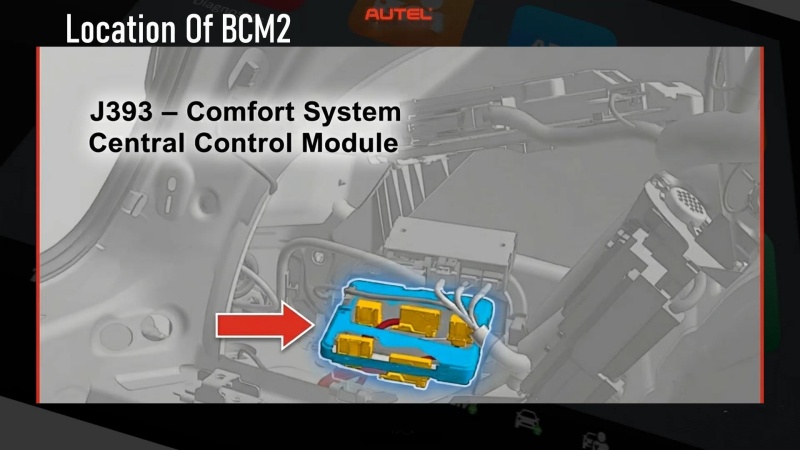
- Labeled J393.
- Located in the left rear interior trim panel.
- Controls locking, interior lighting, trunk release, alarm, and communication with rear modules.
Step-by-Step Repair Procedure
- Initial Diagnosis with Autel IM608S II
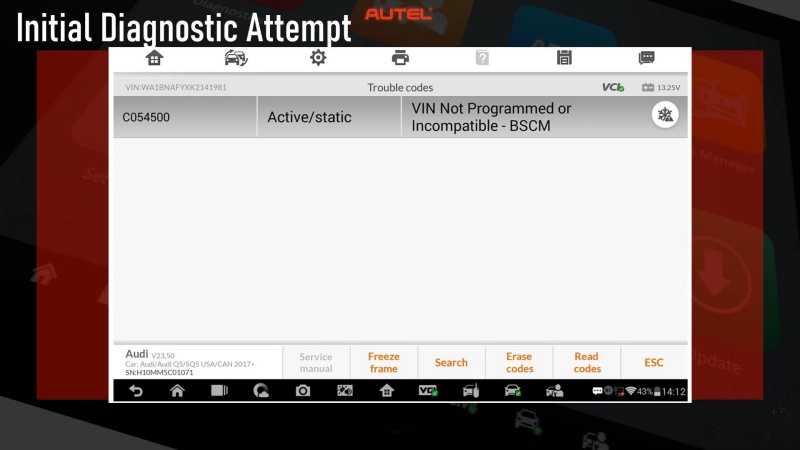
- Scan the vehicle and confirm C054500 in BCM2.
- Use Cloud Backup to save current coding and adaptation values.
- Attempt Online Coding via Autel to see if the fault clears.
In this case, the fault returned after coding, confirming that “this isn‘t something an aftermarket tool can do.“
- Switch to Odis for SVM Programming
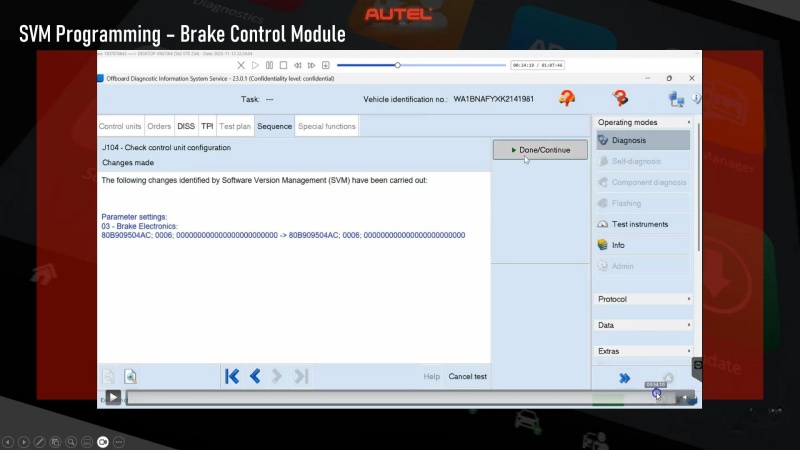
- Since Autel cannot rewrite VIN or security data, use Odis for SVM programming.
- Log in with DSS credentials.
- Run Guided Functions → SVM Check Control Unit Configuration.
- Follow prompts to download firmware and parameterize the BCM.
- Clear Additional Faults
- After SVM, clear TPMS and other related codes.
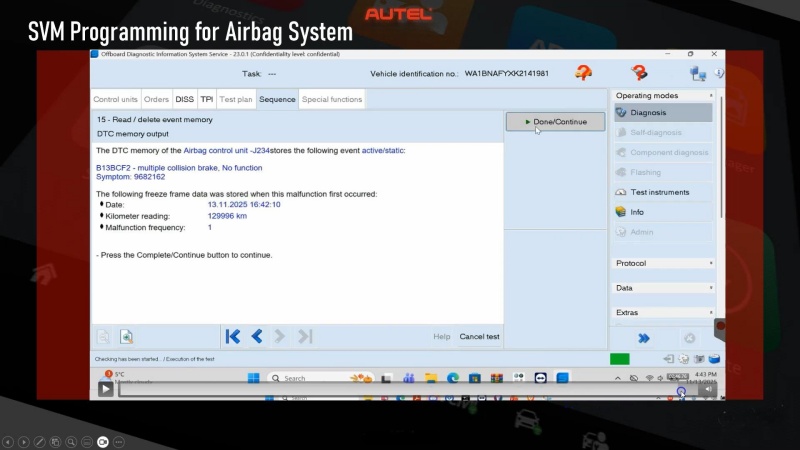
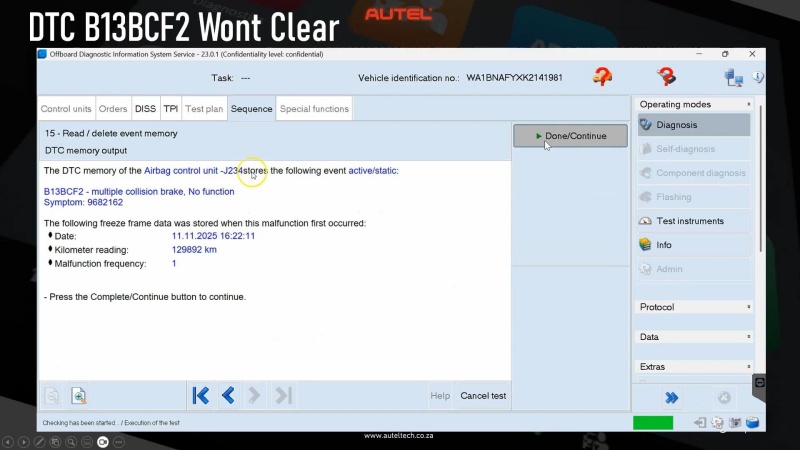
- For persistent airbag fault B13 BCF2:
Follow the TSB: disconnect the tool, turn ignition off, and let the vehicle sleep for 30 minutes before retrying.
- Final Verification
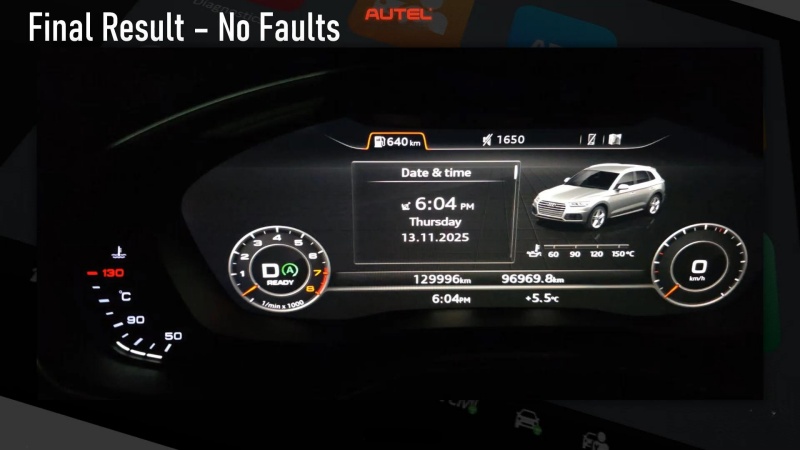
- Rescan with Autel IM608II to confirm C054500 is cleared.
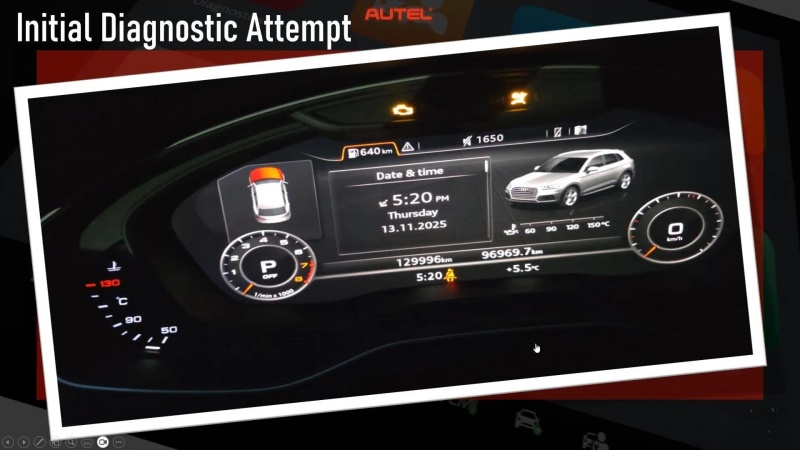
- Ensure no warning lights remain.
✅ Prevention & Professional Recommendations
- Customer Communication:
Advise that removing modules on newer VW/Audi vehicles may require flash programming afterward. - Always Backup First:
Use Autel IM608’s Cloud Backup before any module removal to save coding and adaptation values. - Use the Right Tool for Each Step:
Autel IM608 is used for scanning, backup, and coding — but VIN restoration requires factory SVM programming via Odis. - Consult TSBs:
Always check technical service bulletins if faults persist after programming.
Role of Autel IM608 in This Repair
Based on the case study, the Autel IM608 was used for:
- Initial fault identification and scanning
- Cloud backup of existing module data
- Online coding attempt (which confirmed the need for factory programming)
- Post-repair verification and code clearing
The tool provided essential diagnostic and backup functions, but as the author noted, “the only way to remove the fault is to do proper VIN synchronization with Odis.”
Need Further Support?
Email: sales@AutelShop.de
Wechat: +86-13429866263
Whatsapp: +86-13429866263