This guide provides a streamlined walkthrough for programming a new smart key for a 2018-2024 Ford Edge using the Autel IM608 PRO2.
If your vehicle has reached its 4-key limit, this “All Keys Lost” method is the most efficient way to reset the system and add new keys.
Preparation
- Hardware: Autel IM608 II connected to OBDII.
- Keys: One working original key and one new blank key.
- Location: Identify the emergency start slot (programming slot) inside the center console or armrest.
Programming Steps
1. Vehicle Identification
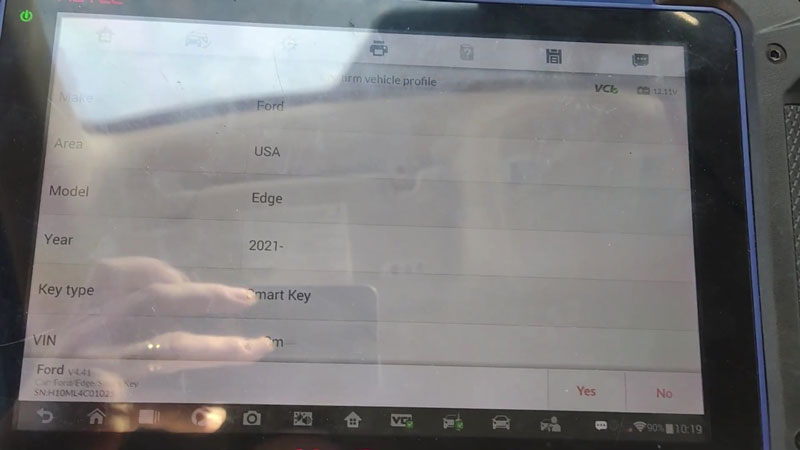
Select Ford > Automatic Selection to read the VIN > Ford > Edge > 2021- > Smart Key > IMMO Status Scan > Quick Erase DTC to ensure the system is clear.
2. Reset & Program (All Keys Lost)
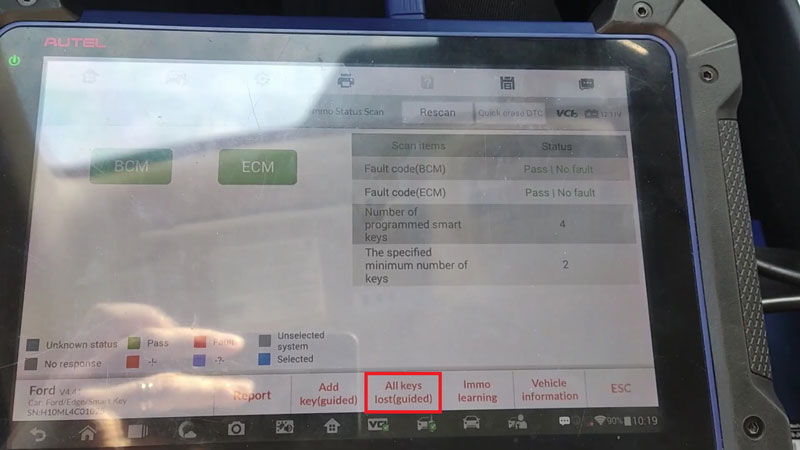
- Select All Keys Lost (This bypasses the 4-key memory limit).
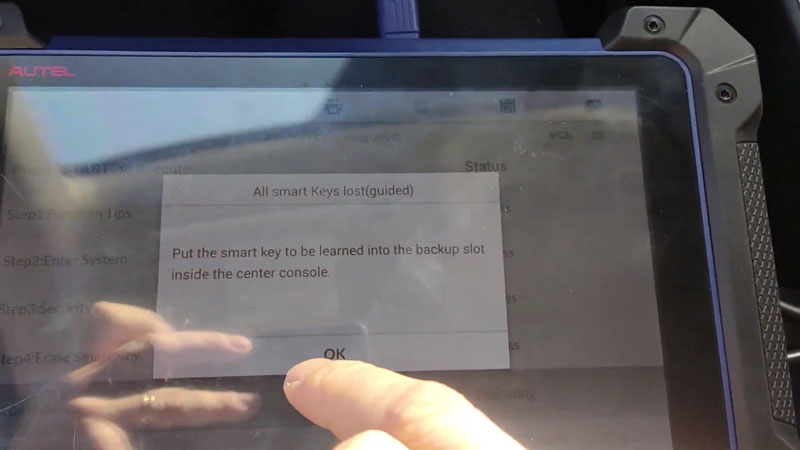
- Put the new key to be learned into the backup slot inside the center console.
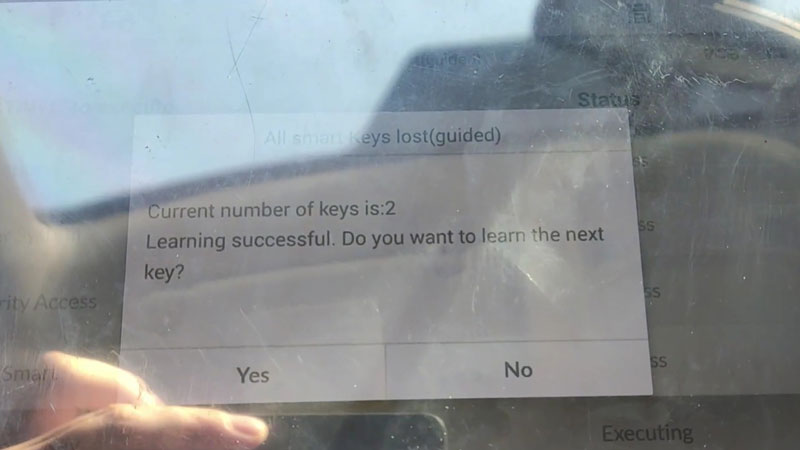
- Once the screen confirms “Learning Successful” (Current keys: 1), select Yes to learn the next key.
- Second Key: Remove the first key, insert the new blank key into the slot, and press OK.
- The screen will display “Learning Successful” (Current keys: 2). Select No to finish.
3. Final Test
- Remote: Test the lock/unlock buttons on both fobs.
- Ignition: Ensure the engine starts with the new key.
Contact Info:
- Email: sales@AutelShop.de
- Wechat: +86-13429866263
- Whatsapp: +86-13429866263
- Website: www.autelshop.de